

Quickstart
Connect AWS, Azure, or Google Cloud, import what your machine already has, and start a role your tools can use in one click.
Open rolle
The first launch runs onboarding. Pick a cloud, sign in, and choose roles. Connect more clouds at the end, or later from the Add menu.
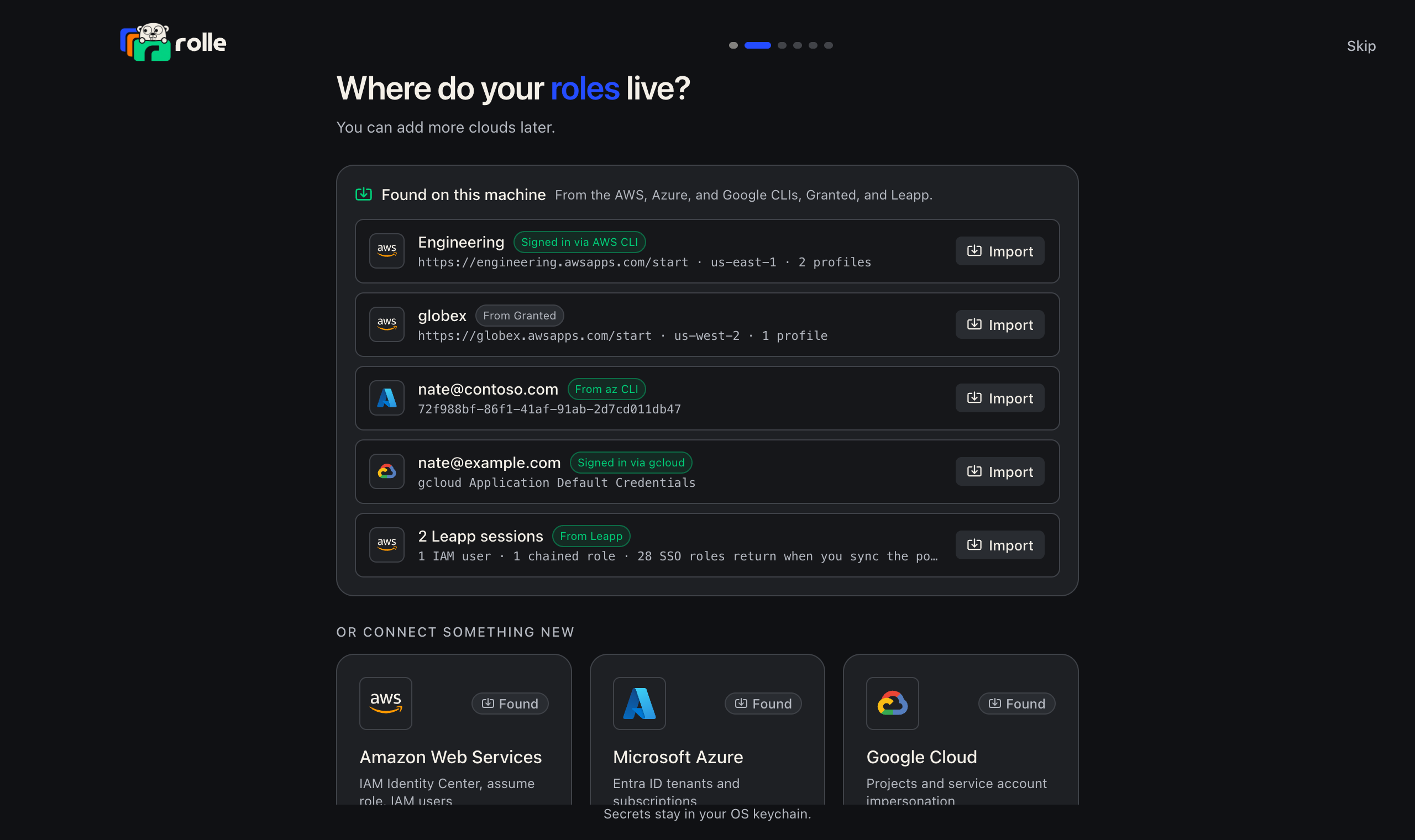
Import what your machine already has
Import from this machine finds Identity Center portals in the AWS CLI and Granted configs, Azure tenants in the az CLI, and gcloud Application Default Credentials. Later, use Add → Import from this machine.
Start a session
Press Start on a role. When the integration is signed out, rolle signs in first. An active AWS session is a profile:
aws sts get-caller-identity --profile defaultEvery AWS session uses the profile default unless you give it a name. Two sessions can share a name. Starting one stops the other.
Use the credentials
The row actions open a terminal with the session ready, open the cloud console, or copy the credentials as shell exports.
CLI
rolle integration add aws-sso --alias acme --start-url https://acme.awsapps.com/start --region us-east-1
rolle integration login acme
rolle session list
rolle start "Acme Prod/AdministratorAccess"
aws sts get-caller-identity --profile default
rolle stop "Acme Prod/AdministratorAccess"