

Profiles and regions
How rolle writes AWS profiles, and how to rename them or change their region.
Profile model
Every active AWS session is a profile in ~/.aws/config backed by credential_process. The process is the rolle binary. It returns cached credentials and writes none into the file.
[default]
region = us-east-1
credential_process = /path/to/rolle creds <session-id>
rolle_session = <session-id>- A session writes the profile
defaultunless you set a name.awsand the SDKs then work without--profile. - Two sessions can share a profile name. Starting one stops the other.
- rolle does not overwrite a profile that holds credential keys. When the session stops, rolle restores a plain
[default]section (region and output).
Static keys in ~/.aws/credentials
The AWS credential chain reads static keys in ~/.aws/credentials before credential_process in ~/.aws/config. A [default] section with aws_access_key_id there shadows a rolle profile named default. Every tool then uses the static keys.
rolle does not start a session onto such a profile. The profile column shows an amber mark. Click it: the profile dialog names the file and offers Remove. The start error offers Fix. Both open a confirmation that names the section and the file, and delete only that section’s static keys. rolle session list --json reports the file as shadowedBy. rolle session fix-profile <session> removes the keys.
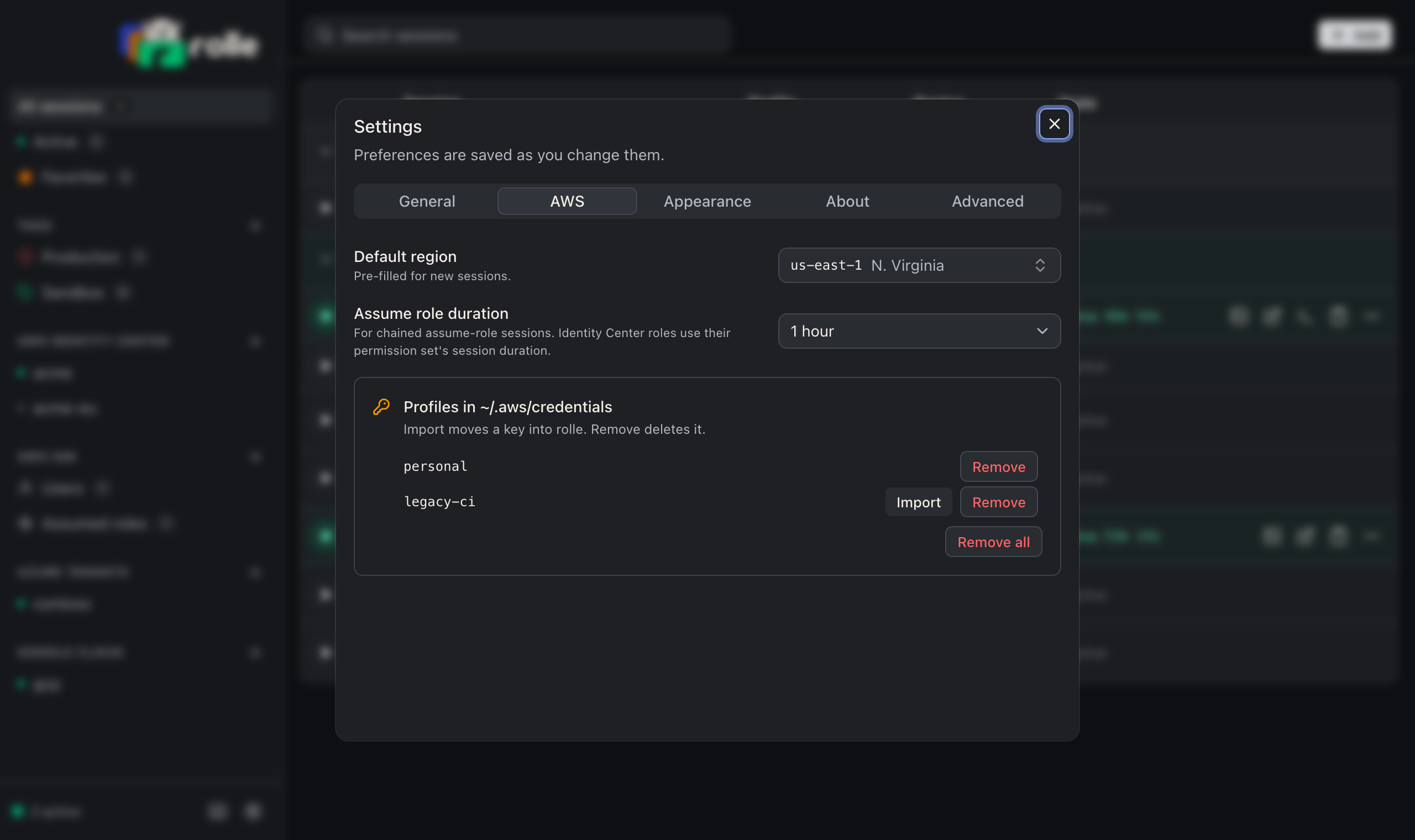
Settings → AWS → Profiles in ~/.aws/credentials and the last onboarding step list every profile with static keys and remove the ones you pick. Import moves the key into an IAM user session named after the profile, then offers the removal. The CLI equivalents are rolle cleanup and rolle session add iam-user --from-profile.
rolle does not take over a profile in ~/.aws/config that another tool configures with credential_process, sso_session, or role_arn. Give the session another profile name.
Rename a profile
Click the profile name in the session table, or use the row menu Set AWS profile name. Names match [A-Za-z0-9_.-]+. An empty name restores default.
rolle session profile "Acme Prod/AdministratorAccess" acme-prod
rolle session profile "Acme Prod/AdministratorAccess"          # back to default
aws sts get-caller-identity --profile acme-prod
Change a region
Click the region in the session table, or use the row menu Change region. An active session rewrites its profile at once.
rolle session region "Acme Prod/AdministratorAccess" eu-west-1New sessions take their region from Settings → AWS → Default region.