

AWS
Identity Center, role chaining, IAM users, profiles, and regions. **[/azure/tenants](/azure/tenants)**
Azure
Entra ID tenants and subscription sessions. **[/gcp/projects](/gcp/projects)**
Google Cloud
Projects and service account impersonation. **[CLI reference](/cli)** Every command and flag. 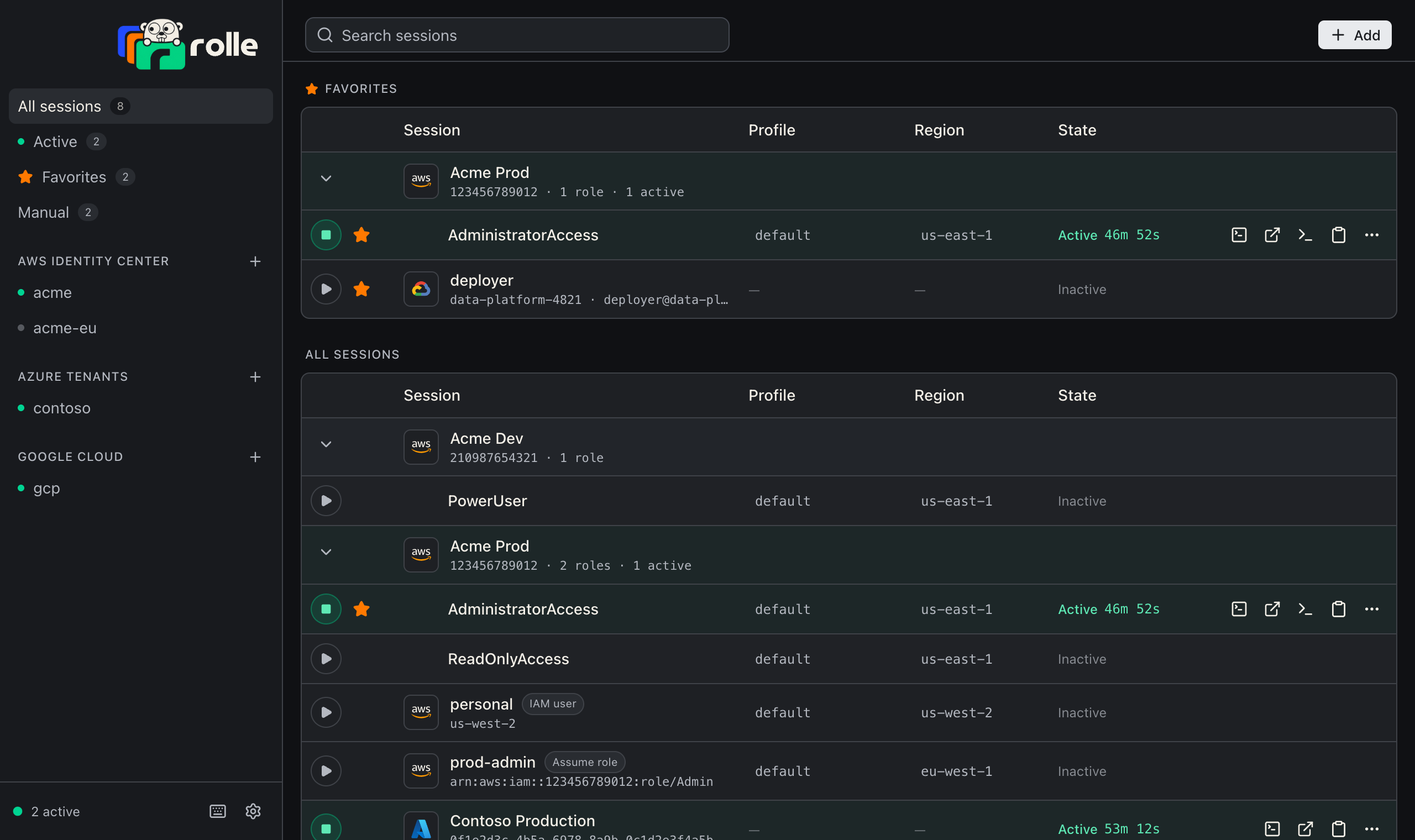 ## How it works - **Integrations** are identity sources: an IAM Identity Center portal, an Entra ID tenant, or your gcloud credentials. rolle signs in once and lists what you can reach. - **Sessions** are the roles, subscriptions, and projects you can start. An active session yields credentials until they expire. Then rolle renews or stops it. - **Delivery**: AWS sessions are profiles backed by `credential_process`. Azure and Google Cloud sessions export tokens into a shell or a terminal window. No long-lived secret enters a file, with one exception: an active Google Cloud impersonation session writes an ADC file that embeds your gcloud refresh token. ## Storage | Item | Location | Protection | | --- | --- | --- | | Workspace (integrations, sessions, settings) | `workspace.json` in the config directory | Owner-only file | | Refresh tokens and access keys | OS keychain, service `rolle` | Keychain access control | | Short-lived credentials | `credentials/` in the cache directory | Owner-only files that expire | | Impersonated ADC files, which embed the gcloud refresh token | `credentials/gcp/` in the cache directory | Owner-only files, removed when the session stops | The config directory is the first of: 1. `$XDG_CONFIG_HOME/rolle` when the variable is set. 2. `~/.config/rolle` when it exists. 3. The platform location: `~/.config/rolle` on Linux, `~/Library/Application Support/rolle` on macOS, `%APPDATA%\rolle` on Windows. The cache directory follows the same order with `XDG_CACHE_HOME`, `~/.cache/rolle`, and the platform location: `~/.cache/rolle` on Linux, `~/Library/Caches/rolle` on macOS, `%LOCALAPPDATA%\rolle\cache` on Windows. **Settings → About** shows the paths in use. ## No telemetry rolle has no analytics, crash reports, or usage pings. The app and the CLI connect only to the cloud providers you sign in to, and to GitHub releases for the update check. **Settings → General → Automatic updates** turns that check off. This site uses Vercel Web Analytics, which sets no cookies and does not track you across sites.